SFTP access for the storage you already use.
Connect an existing Amazon S3, Azure Blob, Google Cloud Storage, or S3-compatible bucket and give people and systems access over standard SFTP.
Your files stay in your bucket. Firepipe runs the SFTP layer.
Free forever plan · Bring your own bucket · No data migration
Supported storage



How it works
Bucket → users → SFTP.
Connect your bucket
Choose your storage provider and connect an existing bucket. For S3, Firepipe uses a scoped cross-account IAM role, so there is no AWS access key for us to store. For Azure, Google Cloud, and S3-compatible storage, you provide a scoped credential that you can revoke. Nothing is copied or migrated.
Create SFTP users
Create a user for each person or system that needs access. Give them a password or SSH public key and restrict them to the path they need - for example /incoming/acme/. A user restricted to that prefix cannot browse outside it.
Connect with any SFTP client
Give the user the Firepipe hostname and their credentials. They connect with the SFTP clients and libraries they already use, and every transfer streams through to your bucket.
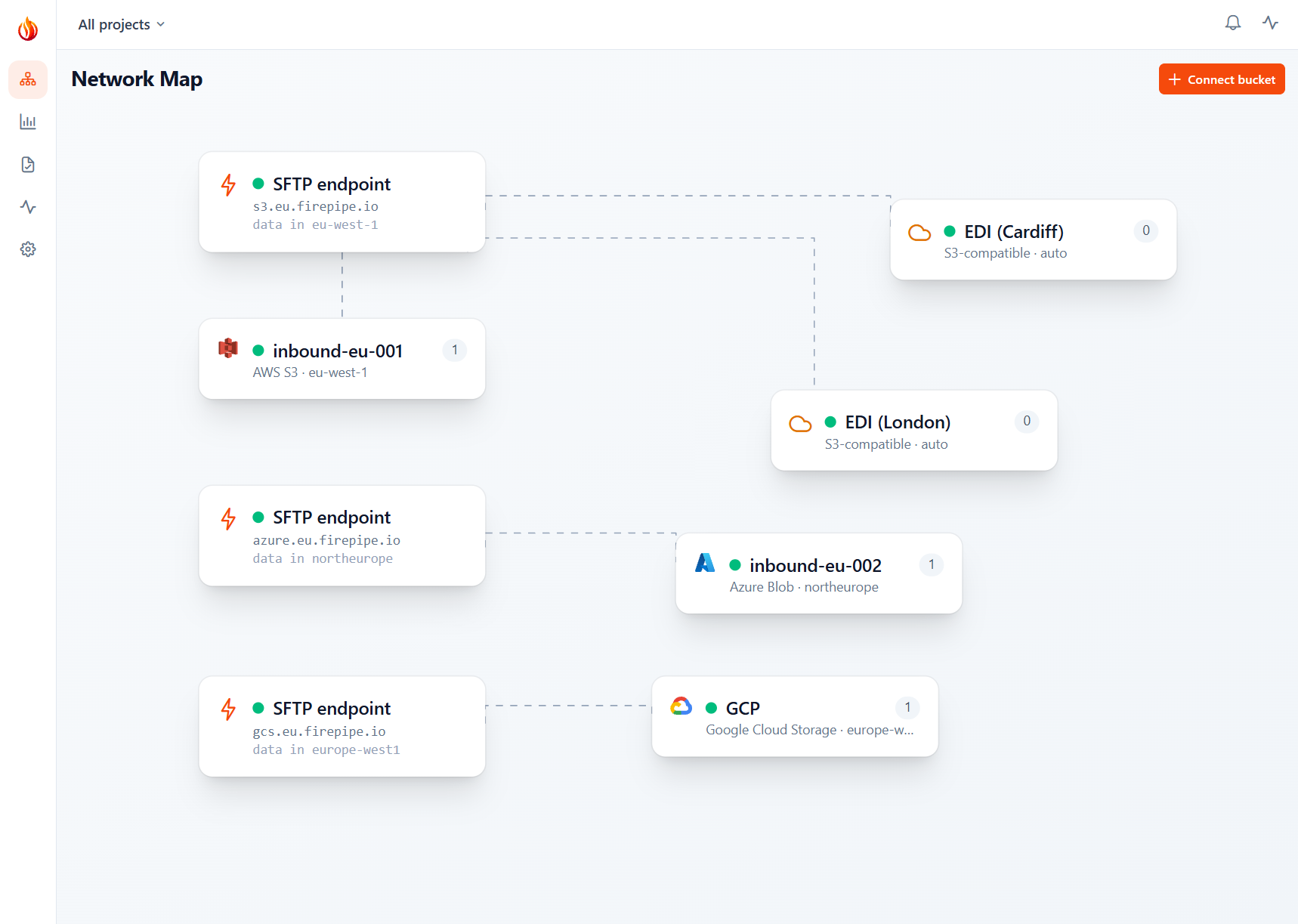
Why Firepipe?
If you already have your files in cloud storage, you probably don't need another storage system just to support SFTP.
Replace the SFTP server
You do not need another Linux machine to patch, monitor, back up, and keep available. Firepipe provides the SFTP endpoint; your existing bucket remains the storage backend.
Keep your existing storage
There is nothing to migrate. Connect a bucket that already contains your files; SFTP users see the paths you give them and transfers go directly to that storage.
Avoid a dedicated SFTP endpoint
AWS Transfer Family and similar services are useful, but expensive when all you need is an SFTP interface in front of an existing bucket. Firepipe meters transfer instead of charging for an always-on endpoint.
Your files stay in your bucket
Firepipe is the SFTP layer, not another place to store your data. Your bucket remains the source of truth: transfers are streamed through to your storage rather than copied into a separate Firepipe storage system.
Access is scoped to the bucket and paths you configure. For S3, that means a cross-account IAM role with the permissions Firepipe needs. For other providers, credentials can be scoped and revoked from your cloud account.
If you disconnect the bucket, Firepipe no longer has access to it.
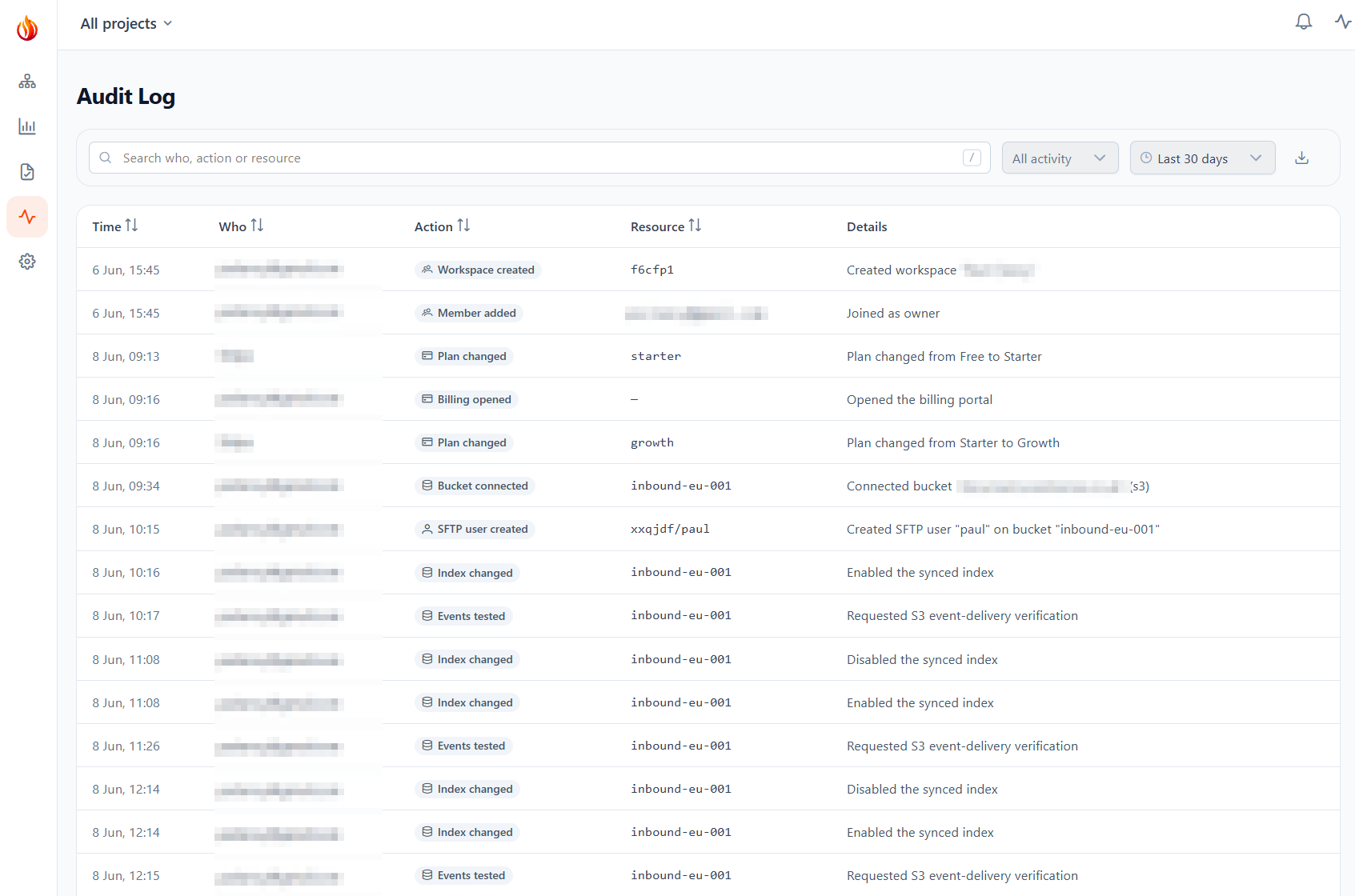
Audit logs
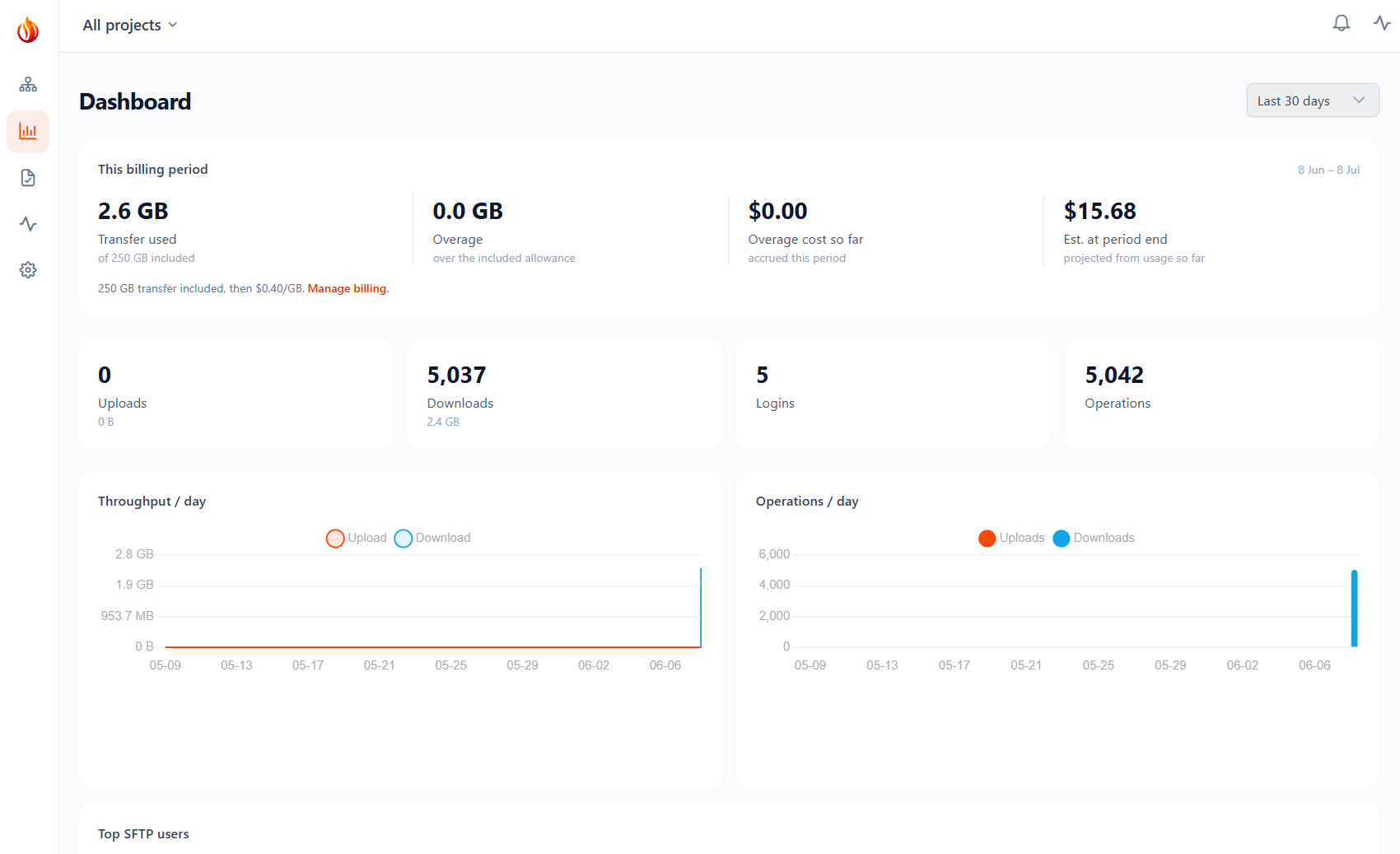
When SFTP is used in production, you usually need to know what happened. Firepipe records logins and file operations so you can see who connected, what they accessed, and when.
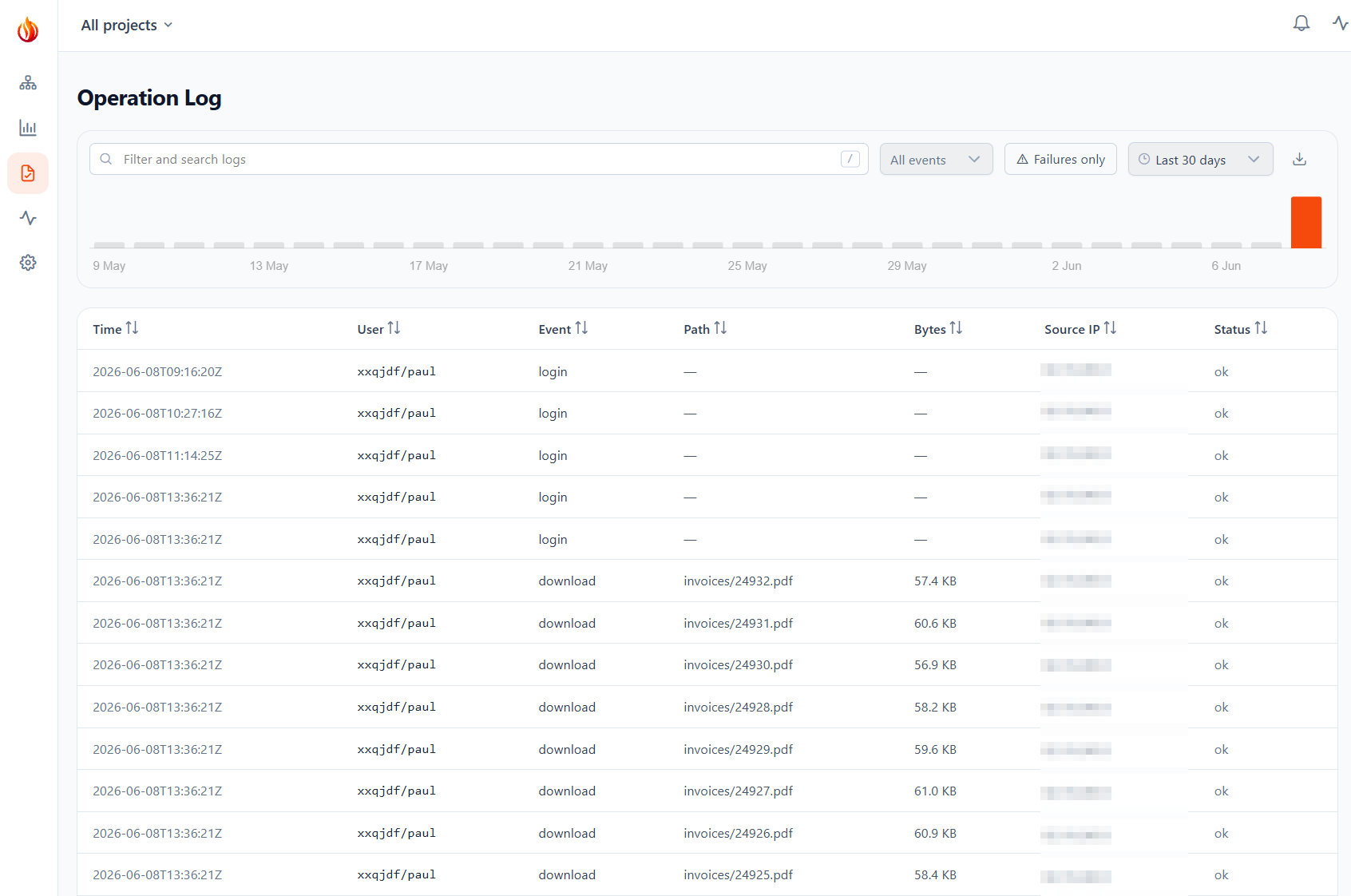
File transfers
See the user, operation, path, byte count, source IP, timestamp, and status for each transfer. Filter the log when investigating an issue and export it to CSV when you need the records elsewhere.
Workspace activity
Changes to users, bucket connections, plans, and other workspace settings are recorded with the person who made the change and when it happened.
User access
See which users exist, what path each one can access, and when they were last active. Credentials can be revoked without changing the underlying bucket or moving any files.
File actions
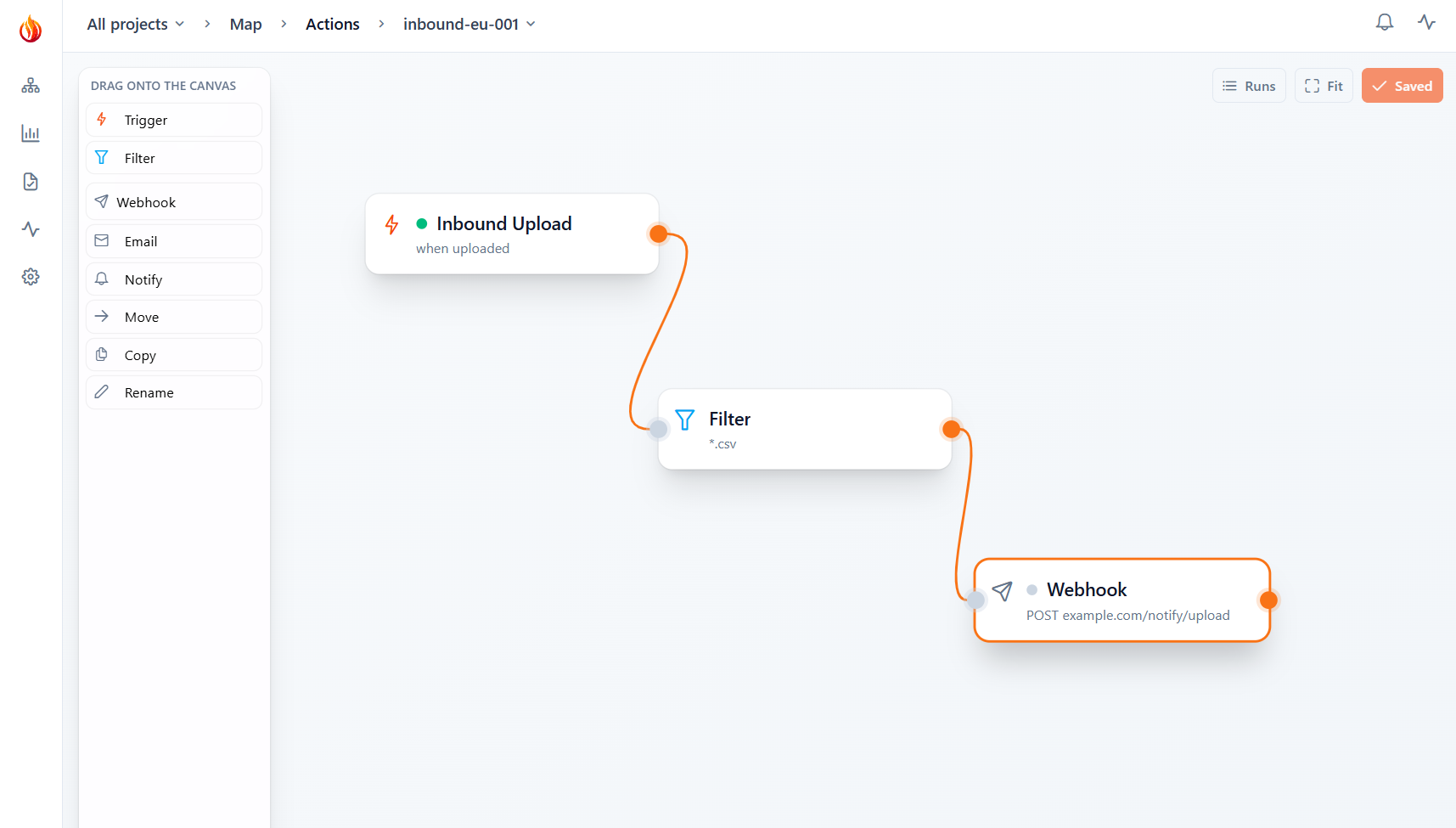
You can also trigger actions when files arrive in your bucket. Build a rule such as
file uploaded → *.csv → call webhook
Actions can call a signed webhook, send an email, or move, copy, or rename a file within the bucket.
Run after the upload completes
Actions run after the file upload has finished, so downstream systems don't receive a partially uploaded file.
Retries are built in
Failed deliveries are retried with backoff. If a rule continues to fail, it is paused and the failure is recorded. Each run appears in the log and can be replayed.
Signed webhooks
Webhook requests are signed using the secret configured for the rule, so your application can verify that a request came from Firepipe.
Firepipe vs. the alternatives
| Firepipe | AWS Transfer Family | Traditional SFTP server | |
|---|---|---|---|
| SFTP in front of your existing cloud storage | ✓ | ✓ | - |
| No server to patch or operate | ✓ | ✓ | - |
| No endpoint charged by the hour | ✓ | - | ✓ |
| Per-user path restrictions | ✓ | IAM setup | DIY |
| Audit logs in the product | ✓ | CloudWatch / DIY | DIY |
The comparison reflects the standard bring-your-own-bucket use case. Product names are trademarks of their respective owners.
Pricing
Simple usage-based pricing. No per-operation or per-listing fees from Firepipe.
Free
- 5 GB / month transfer
- 5 SFTP users
- Full audit trail + CSV export
- No per-op or per-listing fees
Starter
- 25 GB / month included
- then $0.50 / GB
- Unlimited SFTP users
- 30-day audit history
Growth
- 250 GB / month included
- then $0.40 / GB
- Everything in Starter
- Lower per-GB rate as you scale
Early-access pricing - these tiers may change as we learn from customers. Your cloud provider still bills you separately for storage and other cloud usage. Need more than 250 GB/month or committed volume? Talk to us .
Questions
- Where are my files stored?
- In your existing bucket, on your cloud account. Firepipe provides the SFTP interface but does not become the storage location for your files.
- Which storage providers do you support?
- Amazon S3, Azure Blob, Google Cloud Storage, and S3-compatible storage - including services such as Cloudflare R2, Wasabi, Backblaze B2, and MinIO. If you are using another S3-compatible endpoint, get in touch and we can confirm compatibility.
- Can users authenticate with SSH keys?
- Yes. Each SFTP user can use a password or SSH public key, and can be restricted to a particular path prefix.
- Does Firepipe keep a copy of my files?
- No persistent copy. Transfers are streamed through Firepipe to or from your bucket; your bucket remains the storage location. What we keep is the transfer log: user, path, size, timestamp, source IP, and status.
- Do I need to migrate my data?
- No. Connect the bucket you already have. Existing files remain where they are.
- What happens if I cancel?
- Your files remain in your bucket. Disconnect Firepipe and remove its IAM role or revoke its credentials - there is no Firepipe storage account to empty or data migration to perform.
SFTP for the cloud storage you already have.
Connect your bucket, create a few users, and give your existing systems an ordinary SFTP endpoint. No new storage system. No server to maintain. No migration.
Get started free